Implement Passwordless SSO: Enterprise Step-by-Step Guide
Author: Carter H | 17 Apr 2026In This Post
Your employees log into eight to ten applications every workday. Every door functions as an entrance point to a building. Every door has a lock that protects its entrance. Every lock serves as a security measure by protecting against password theft.
The Data Breach Investigations Report from Verizon shows that 22 percent of security breaches in 2025 began through compromised credentials. All security breaches began through password authentication. The use of passwords for securing multiple applications demonstrates that your enterprise requires a different approach to authentication.
The implementation of passwordless single sign-on SSO eliminates all potential security threats. The system authenticates users through a single cryptographic or biometric identification process, which provides them access to all linked applications without requiring users to remember multiple passwords throughout different systems.
The result brings three advantages to the system, which include faster access times, a smaller attack surface, and a major decrease in IT operational costs. The blog explains passwordless SSO to enterprise teams by detailing its current importance and providing step-by-step implementation instructions.
What Is Passwordless SSO?
The system uses two separate functions that create its passwordless single sign-on capability. Single sign-on lets a user authenticate once and access multiple applications without having to log in again. Passwordless authentication eliminates the need for passwords by using a verification method that cannot be obtained through phishing attacks or theft, or reused by others. The underlying technology typically involves one of the following:
These, meanwhile, combine to form a single biometrics or cryptographic layer that covers all applications in your stack.
The underlying technology typically involves one of the following:
- FIDO2 and WebAuthn: FIDO2 and WebAuthn are cryptographic standards that require users to create private keys on their devices and register public keys with the online service. The system transmits no sensitive information through its network.
- Passkeys: FIDO2 is a user-facing implementation provided by Apple, Google, and most enterprise browsers natively, as of 2025.
- The authentication process uses biometric authentication, which includes face recognition, fingerprint scanning, and iris scanning as its authentication method, together with FIDO2 credentials.
- Magic links and email OTP: Lower assurance options are still used in some deployments, though adoption is moving rapidly toward cryptographic methods.
Your application ecosystem receives authentication through passwordless SSO authentication, which uses Security Assertion Markup Language (SAML), OAuth 2.0, and OpenID Connect (OIDC) as its identity protocols. Your Identity Provider (IdP) serves as the main component that establishes trust between the authentication process and all applications that are connected to it.
Why Enterprises Are Moving Now
There is no longer a hypothetical case for passwordless SSO. The operational side is just as interesting. Taking passwords out of the equation gets rid of that whole group of support problems.
Regulatory frameworks are driving compliance requirements, which lead to increased adoption of digital identities. The EU eIDAS 2.0 mandate requires member states to issue digital identity wallets by 2026. The U.S. federal executive order on phishing-resistant MFA has established a definitive path for public sector organizations and regulated industries to follow.
Prerequisites Before You Start
The process of implementing passwordless single sign-on requires any necessary groundwork before starting system configuration.
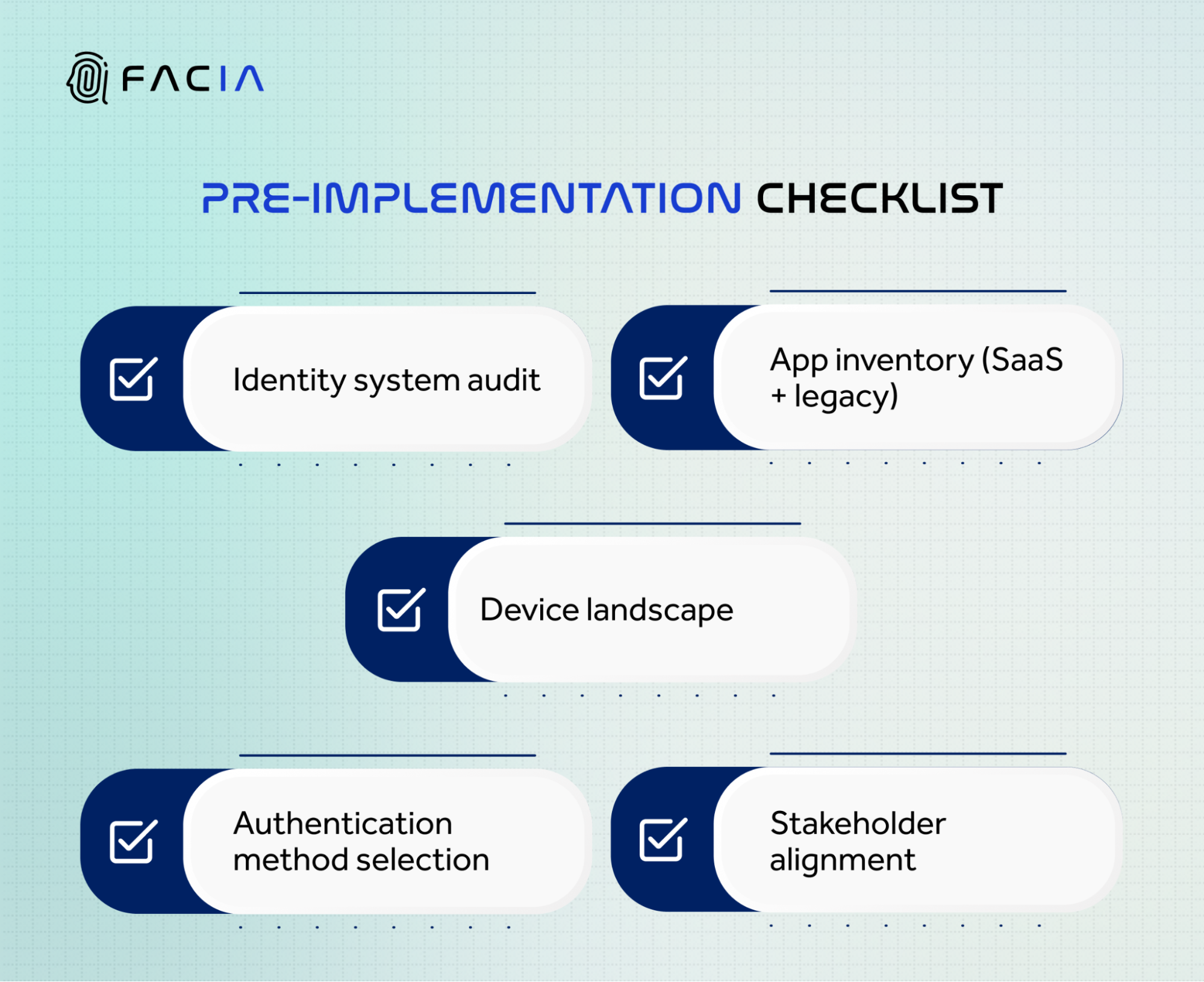 You need to assess your existing identity management systems and create a complete inventory of all applications that employees use, which includes both software-as-a-service products and internal systems and historical software. You need to find the systems that currently offer SAML and OAuth and OIDC support, together with the systems that need a wrapper or proxy solution.
The system needs to evaluate the existing device stock. Passwordless authentication ties credentials to devices. You need to determine the device usage patterns of your employees between company-owned devices and their personal devices, and you need to identify which operating systems they use.
You should select your preferred method to authenticate yourself. The combination of passkeys with FIDO2 hardware tokens provides the strongest authentication capability. Biometric authentication features a liveness component that verifies that an actual person is using the system instead of someone employing stolen credentials.
Secure stakeholder alignment. The identity infrastructure change requires cooperation from all IT, security, HR, and legal teams. The team needs to establish the rollout plan, fallback policies, and communication strategy before initiating their work.
How to Configure Passwordless SSO: Step by Step
Implementing passwordless SSO requires a structured approach that connects your identity systems, applications, and security policies. The steps below outline how to move from planning to a fully deployed, enterprise-ready authentication framework.
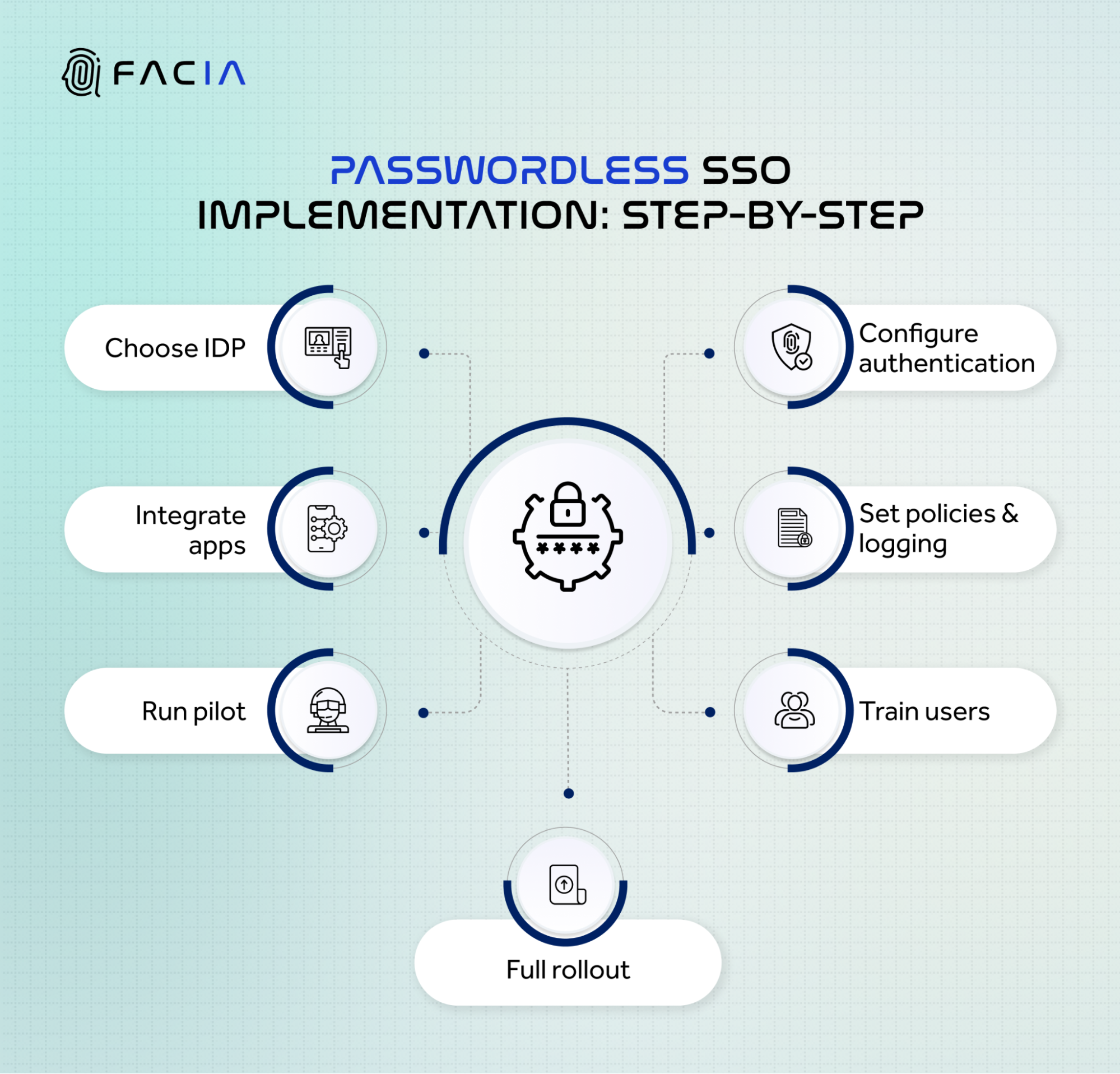 Step 1: Select Your Identity Provider
Your IdP functions as the fundamental component that enables your system to operate. The system performs authentication processes while issuing tokens and controlling access rights to all linked applications. The evaluation of IdPs requires assessment of their FIDO2 and passkey support in their implementation library for current applications and their capability to enforce session-based policies.
Step 2: Configure Your Authentication Methods
Your authentication system needs to implement passwordless authentication methods. Enterprise deployments should start with passkeys and biometric authentication as their primary security method. Your system needs to disable SMS OTP because your threat model requires all authentication methods to provide complete protection against phishing attacks.
The established policy rules will determine the specific assurance levels required for each application. The systems that handle high-sensitivity information need to implement more secure authentication methods, which include additional validation processes during their operational activities.
Step 3: Integrate Your Application Ecosystem
You should use SAML 2.0 or OIDC to link your applications with the IdP. Modern SaaS tools support both of these protocols through built-in functionality. The reverse proxy or identity gateway enables authentication flow management for legacy applications that lack support for these protocols.
You must test every integration point with your authentication policies before proceeding to the subsequent step.
Step 4: Configure Access Policies and Audit Logging
The organization must establish access policies that will determine the assessment process for authentication events. The policies must evaluate three factors, which include device posture, network context, and user role. The system needs to create a log entry for every authentication event, which includes a timestamp and identification of the responsible user. The organization needs to maintain complete audit trails to fulfill compliance requirements for SOC 2, ISO 27001, and HIPAA standards.
Step 5: Run a Controlled Pilot
You should choose between 20 and 50 users who will represent different roles, device types, and various levels of technical skills. The pilot program will operate for a testing period between two and four weeks. The team will gather information about authentication successful attempts, fallback implementation, and support request volume. The organization will use these findings to improve its policies and resolve its integration challenges before they implement their complete deployment.
Step 6: Train Employees and Communicate the Change
User authentication modifications create obstacles for users who lack preparation. Send communication ahead of the rollout that explains what is changing, why it is happening, and what users need to do. The organization should deliver brief device-based instructions that show users how to register passkeys and biometric authentication methods. The system should enable users to handle tasks through self-service options except for cases where this solution cannot be applied.
Step 7: Full Rollout and Ongoing Monitoring
The implementation should occur through phased department-based rollouts, which use application risk tiers for their deployment schedule. The system will track authentication success rates together with monitoring of anomaly patterns and help desk operations throughout the day. Your organization should conduct quarterly access policy reviews while using your IdP system to immediately revoke access for employees who have left the company.
Common Challenges and How to Handle Them
- Legacy Application Compatibility: The system lacks full application support because some of your applications do not work with current protocols. The system requires a gateway or identity proxy solution that enables operation without the need to reconstruct the entire system. The organization should focus its modernization efforts on applications that process its most confidential information.
- Device Diversity: Passkeys behave differently across iOS, Android, Windows, and macOS. Test your enrollment and authentication flows on every device type your workforce uses before rollout.
- Account Recovery Without Passwords: The passwordless system implementation needs proper recovery procedures, which organizations tend to neglect. The system needs a recovery process that authenticates users through identity verification methods instead of using knowledge-based questions. Biometric face verification serves as the primary method for validating the identity of users who seek access restoration.
- Employee Resistance: Most resistance comes from unfamiliarity, not genuine objection. Pilot feedback consistently shows that users prefer passwordless authentication once they experience it. A well-run pilot with good communication resolves most resistance before the full rollout.
Compliance and Security Alignment
Passwordless SSO is a direct enabler of zero-trust architecture. Zero trust requires that every access request be verified regardless of network location, and that verification happens at the level of the individual user and device, not the network perimeter. Passwordless authentication with per-session audit logging satisfies both requirements.
For regulated industries, the compliance benefits are concrete. SOC 2 Type II requires strong authentication controls and an audit trail that is complete. ISO 27001 mandates access control policies and user authentication standards. HIPAA requires technical safeguards for the authentication of systems that contain protected health information. A properly deployed passwordless SSO configuration addresses each of these requirements directly.
Biometric Passwordless SSO with Facia
For enterprises that require the highest level of authentication assurance, face biometrics adds a layer that cryptographic credentials alone do not provide. Facia’s passwordless SSO solution replaces passwords, OTPs, and hardware tokens with biometric face authentication across your entire application stack.
Every login is verified by liveness-detection software that confirms a live, physically present person is authenticating. This blocks account takeover attempts that use replayed credentials, deepfake-generated faces, or spoofed biometrics. Facia deploys across the Android SDK, iOS SDK, and REST API alongside your existing IdP, without requiring a rip-and-replace of your identity infrastructure.
Authentication completes in under one second. Every event generates a biometrically verified, timestamped audit log. The false acceptance rate is 1 in 100 million.
For teams managing sensitive access events within authenticated sessions, step-up authentication triggers a real-time face check at high-risk moments such as fund transfers or admin changes, without requiring a full re-login.
Book a demo with Facia to see how face-based authentication integrates with your existing identity infrastructure.
FAQs
- What is passwordless SSO, and how does it work?
Passwordless SSO lets users access multiple applications with one login without using passwords. It uses secure standards like FIDO2 and WebAuthn to verify identity through biometrics or device-based credentials. - What technologies are required for passwordless authentication?
Passwordless authentication uses FIDO2, WebAuthn, passkeys, and biometric verification methods. It also relies on protocols like SAML, OAuth 2.0, and OpenID Connect for secure access across applications. - Is passwordless SSO secure for large organizations?
Yes, passwordless SSO is highly secure because it removes passwords, the most common attack vector. It uses phishing-resistant standards like FIDO2 and supports compliance with frameworks such as SOC 2 and ISO 27001.